LatestRank Math Pro Download(The actual download after purchase is a better Business version ), the most powerful and fastest WordPress SEO plugin. Rank Math is rated as the best WordPress SEO plugin in most Facebook polls. Its features are very comprehensive and powerful, a plug-in effect can top 3 plug-ins.
This site and we build all the foreign trade 2B/2C independent station are using Rank Math Pro plug-in optimization SEO, it also applies to domestic Chinese sites, more applicable to foreign English / foreign trade sites.
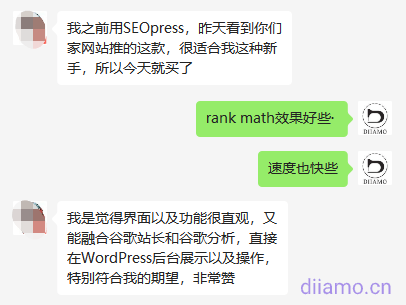
It is also the fastest SEO plugin. The following chart lists the comparison between Rank Math and Yoast, SEOPress and AIO SEO plugins. Rank Math is much smaller than the other 3 plugins in terms of code size, plugin size, memory consumption and impact on speed.

You can link Google Webmaster Tools and Google Analytics account, directly in the background of the site to view the keyword ranking and indexing, very convenient and practical! Self-contained api inclusion function, can let Google fast, full inclusion of website pages.
Page updates will automatically notify Google to include the latest page, one-click to set page index, noindex, nofollow and other status. Upload products/articles will have SEO score and optimization suggestions, popular keywords recommendation, etc.
Rank Math SEO PRO plugin main features.
- Advanced Google Analytics Integration
- Keyword Rank Tracker
- Tracking Keywords
- Pattern Generator
- SEO Performance Email Report
- Import architecture from any website
- Google Trends Integration
- Google video, image search engine optimization sitemap
- WooCommerce SEO Professional Edition
- Complete EDD SEO
- Advanced post-filtering
- 18 predefined pattern types
- 6 additional mode types
- Automatic video detection for video mode
- Advanced Content SEO Overview
- Using Google Authentication Framework
- Custom Architecture Builder
- Add unlimited number of architectures
- Supports more than 840 architecture types
- Automated Architecture Implementation
- Dataset Architecture
- Fact-checking structure
- Rotation Chart
- Google/Being API quick inclusion
- Popular keyword recommendations when filling in keywords
- bbPress' automated Q&A mode
- Advanced Redirection Module
- Advanced Local SEO Block
- Social media images with watermarks
- Advanced batch editing options
- Full import/export options
- Complete Elementor Integration
- Elementor-specific breadcrumb widgets
- Complete Divi Integration
- Import/Export focus keywords
- Import SEO data, redirect data via CSV file
- Advanced Quick Edit Options
- Detecting isolated pages
- Automatic video data filling for video mode
- Track the PageSpeed of each post and page
- Track the SEO performance of individual posts
- Synchronous redirection to .htaccess
- Noindex password protection page
- Exporting 404 logs
- Advanced HowTo Architecture
- Mark hidden links as external links
- Find and replace images alt/title/caption text
- Automated image captions
- SEO content AI intelligent analysis suggestions
- Other
Click to see a detailed comparison of Rank Math and Yoast, SEOPress, AIO SEO plugins. Some people prefer Yoast plug-in, so we also shelves for everyone to download, click to downloadYoast Seo Premium Plugin.
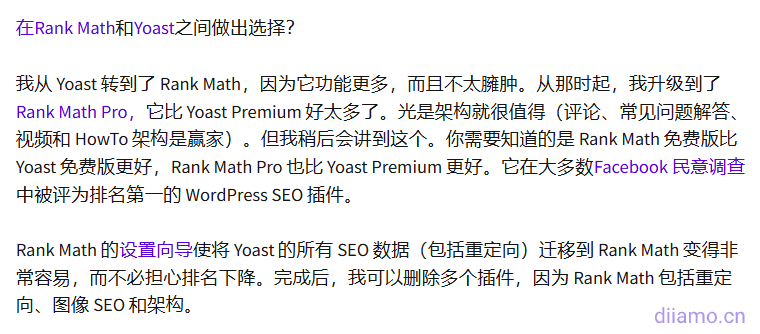
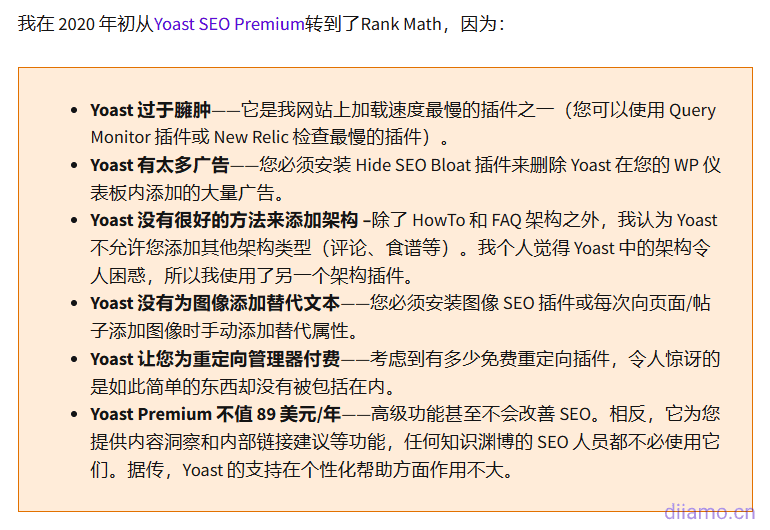
Rank Math adds some extra features that Yoast SEO Premium doesn't even include, such as automatic image alt attributes, more advanced schema markup, better analytics, 404 detection, url redirects, locally hosted Google Analytics code, quick links to Google accounts, etc. Many users switch from Yoast to Rank Math.
Below is a screenshot of a well-known foreign blogger's post:
What is a GPL licensed plugin
This plugin is a GPL licensed product and is safe and legal. Click to learn what isGPL AgreementClick to learnWordPress official website about GPL. Simply put using the GPL license plugin/theme source code open source sharing, can be legally free to change, use, distribution.
The company that owns the plugin/theme mentioned in the title of this item is not affiliated with us in any way, and the company has not licensed its products or brands to us. This product is a distribution of the plugin/theme mentioned in the title, created by a third party company/developer and redistributed by us under the terms of the General Public License (GPL).
We use the plugin/theme name for the sole purpose of identifying the plugin/theme on which this product is based, with the intention of helping users better understand the functionality and possible application scenarios of our product, and in no way to impersonate or mislead. This product is sold under and respects the terms of the GPL license agreement and ensures that users are aware that they are acquiring a distribution of the plugin/theme based on an open source license. They are allowed to view, modify and redistribute the software to promote its free use and development.
Verified by Security Antivirus
Directly from foreign formal channels to buy, do not modify the source code. All plug-ins we use to build their own sites, used in a number of sites, safe, stable and reliable.Are you worried that the plugin is not secure? Check this articel:Is WordPress Cracked Plugins/Themes (Green, GPL, Nulled) Safe?.
- ByVirustotal Antivirus Verification;.
- ByWordfenceSource code review.
- BySucuriSecurity antivirus scan.

Rank Math update method/record
General new version out within 24 hours of this site will be updated, then please visit this page directly to download the new version of the installation package upload update, the product title will be written on the latest version number. Can only be updated by uploading the installation package, mind not to shoot, if you want to update online please support the original version to go to the official website of the plug-in to buy.
Note: Rank Math Pro will not alert you when there is a new version in the background, every time there is a new version of the free version, a new version of the Pro version will come out as well.So whenever there is a new version of the free version, please come to this page after 1-2 days to download the new version of Pro installer to upgrade!.
Click to view the update history of this plugin (Changelog)
Rank Math Pro Download Purchase Terms
This site plug-in purchased from foreign sites, the purchase price is4.99 USD/pcThe price is 2 years. Diiamo unified selling price of 19 yuan / a, spent a lot of effort to produce the use of tutorials also provide manual Q&A service, absolutely value for money.
Plug-in for learning and research purposes only, virtual products are reproducible, once sold no refund, please move to the detailsTerms of Service. Please login first before purchasing, refresh the page to get Rank Math Pro download permission after purchase.
Diiamo for the purchase of users to provide after-sales service, plug-in use any questions please leave a message in the comments below, there will be answers to questions.
Installation / Activation Method
Install and activate the base version first, clickDownload Basic VersionThen install and activate the installation package that you purchased and downloaded from this site.
If you want to install the Chinese Chinese package, unzip the downloaded Chinese package .zip, upload the 2 .mo Chinese package files inside directly to the wp-content/languages/plugins directory, and refresh the page. Upload it through the file management system of the hosting panel. Official Bug Chineseization Failure

Note: If you enable the function of removing woocommerce product URL prefix, every time you update Rank math plugin, you need to enter Rank Math plugin settings and click "Save Changes" button directly. Otherwise the product listing page may show 404.
Installation method 1: Upload and install
Find and click on "Plugins" > "Install Plugins" in the left menu bar of the website background, then click on "Upload Plugin" in the upper left corner, upload the downloaded zip installation package and click on "Install Now", after installation, click"Enable Plugin"Complete the installation.

Installation method 2.FTP installation
Unzip the plug-in package, put the unzippedFoldersUpload it to the plugins directory (xxx.com/wp-content/plugins).
Find and click on "Plugins" > "Installed Plugins" in the left menu bar of the website background, find the plugin in the list of plugins, and click "Enable".
Rank Math Setup Tutorial
The tutorial for setting up Rank Math is too long, so it's in a separate articleThe super detailed SEO plugin Rank Math setup tutorial, including the keyword 100 points filling guide.
Common Problems & Solutions
Below is a list of frequently encountered problems with the Rank Math plugin, if you encounter any other problems please leave feedback below.
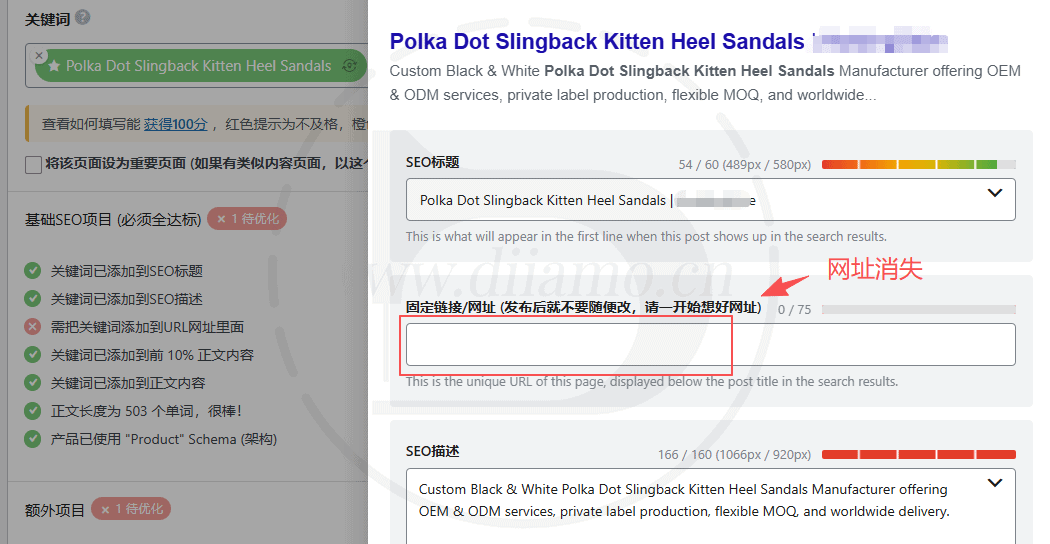
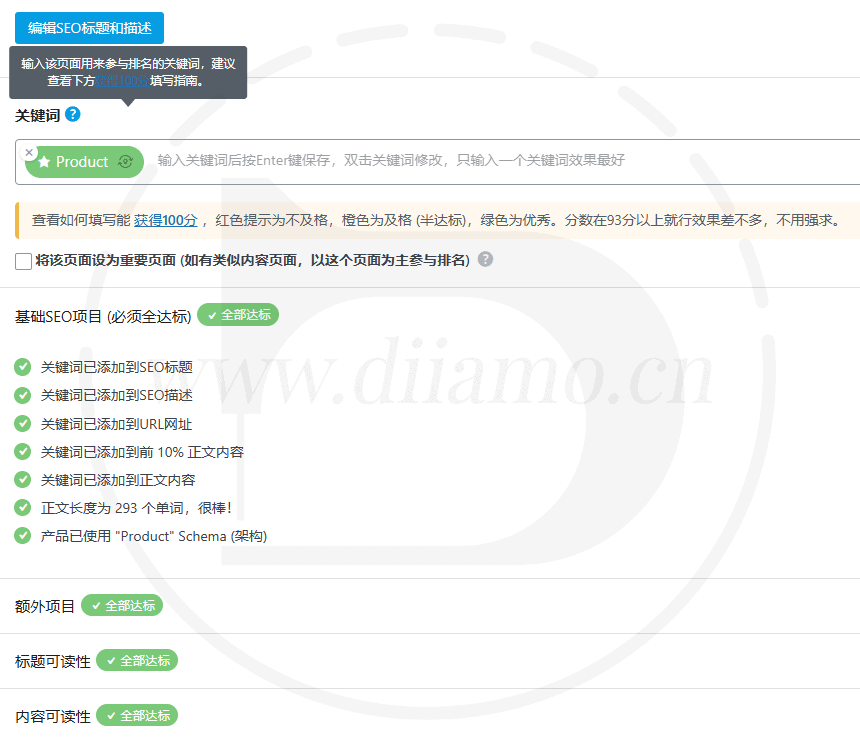
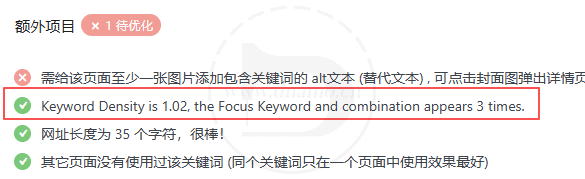
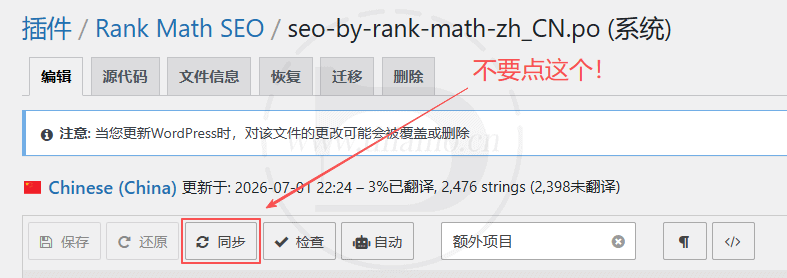
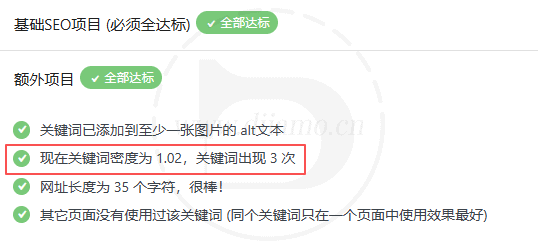
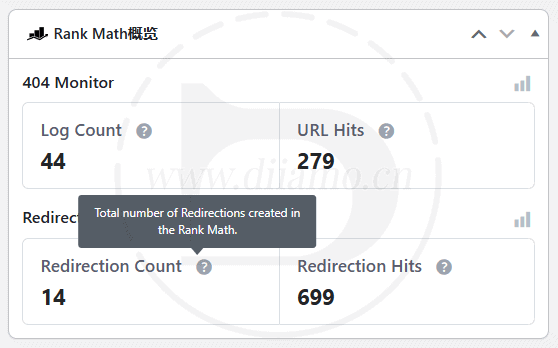
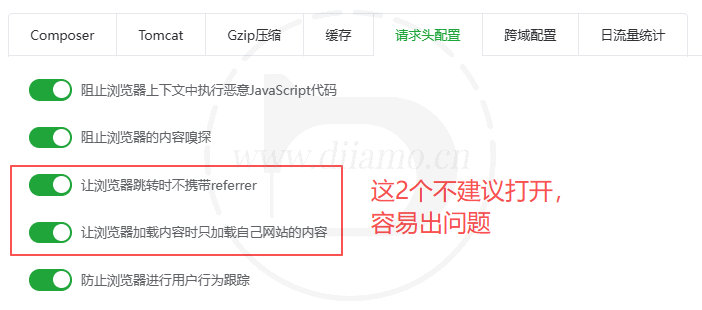
SEO scoring will be done after entering keywords on page, product, article and other editing pages. Some scoring items are not very practical, so you can add the following code to disable the corresponding scoring items and improve your score. If it isChinese websiteAdd the following code to "Appearance" > Theme File Editor > select child theme in the upper right corner > click "functions.php" on the right to edit the file, copy all the code below and paste it into functions.php Click Save at the bottom of the file. Some of the above disabled scoring items are not quite applicable to Chinese, and some are not compatible with Chinese, so it is better to disable them. If you don't want to disable some of the above items, put the correspondingWhole lineJust delete the code. If it is an English website, mainly for Google SEO, add the following code to "Appearance" > Theme File Editor > select the child theme in the upper right corner > click "functions.php" on the right side to edit the file, copy all the code below, and paste it into the bottom of the functions.php file. Paste it to the bottom of the functions.php file and click save. To add more disabled hooks remember to add the penultimate hook after the , Symbol. For a list of Rank Math's other rating item hooks, and more hooks or ways to disable them, clickView Details. After disabling the SEO scoring items, do the following to clear the Rank Math transient and recalculate the SEO score. Go to "Status&Tools" and Click "Remove Rank Math Transients". Click on "Update SEO Scores". If you enable Rank Math's Remove URL Prefix feature, sometimes updating the rank math plugin causes the product list page or product detail page URL to be invalid, prompting 404 or automatically jumping to other pages. This official bug exists for several months, every time you update the plugin Xiaodi are scared, so many sites, if there is a problem I shall not be scolded to death by customers. So now Xiaodi does not enable the function of removing URL prefix. Solution. 1) Go to "Settings" > "Fixed Links" and click "Save Changes" (no need to change settings). 2) Then go to "Rank Math" > "General Setting" and click "Save Changes" at the bottom (no need to change the settings). If you can't click the button, just change some settings and then change it back. Clear the cache plugin cache and browser cache and refresh the page should be back to normal. If it still does not work, it proves that there is a conflict with other plug-ins, disable other plug-ins one by one until the problem is solved. Product upload interface fill in the keywords, save the keywords disappear, but in the product list page quick edit products can successfully add keywords, is Wordfence and other firewall interception caused. Sometimes all the roles can't fill in the keywords, sometimes only the store administrator and other roles can't fill in the keywords. The following 3 methods can solve this problem, read all the methods and then choose the one that suits you: Many domestic web servers do not link to Google, so Google Analytics and Indexnow fast push function can not be used. The link will prompt failure or abnormal function, you need to disable the corresponding function. Especially Indexnow function, the domestic server to enable may lead to the inability to edit and save the file/page and other errors, must be closed. To install the plugin, one way is to upload the downloaded zip to the plugins directory (xxx.com/wp-content/plugins), unzip it out, find the appropriate plugin on the plugin list page in the website backend, and tap to activate it. Some users feedback that after uploading and unzipping, there is no Rank Math Pro plugin in the backend plugin list page of the website. After checking, we found that there are 2 PHP files missing from the first directory of the unzipped folder, which are blocked/deleted by the server's firewall. After manually uploading those 2 PHP files, enabling the plugin prompts "The plugin could not be enabled because it caused a fatal error (fatal error)", it should be that the other php files are also deleted, or some functions are blocked by the firewall. The safest way is to turn off the firewall, install Rank Math Pro plugin from scratch, it is best to upload and install the plugin in the backend plugin list page of the website.PS: Don't make the website firewall so complicated, especially Pagoda, a whole lot of problems, non-professionals don't toss the firewall. Updated July 1, 2026: Rank Math has fixed this issue; it now worksLoco PluginYou can translate the entire text below.↓ When translating the file, be sure to place it in the “System” directory: languages/plugins/seo-by-rank-math-zh_CN.po There's a problem here: the source text for the "seo-by-rank-math-zh_CN.po" file generated by Loco is missing some content, which makes it impossible to translate. As a result, the content in the image below is still displayed in English ↓. With Codex's help, Xiao Di fixed this issue. Click here to view.Solution. The image below shows what it looks like after manually adding the code↓. After manually adding the source text for the translation above, go to the LOCO translation interface shown in the image below, make a few changes, and then click “Save.” This will regenerate the JSON file, and the translation will take effect. Note: Do not click the “Sync” button in the image below! Otherwise, the corrected translation will be reset and will no longer be valid. Fixed—translation successful↓. You can now uninstall the Loco plugin; the translation will still be there. The content in the dashboard shown below can be found and translated in LOCO, but the translation doesn't take effect—it still displays in English. This Rank Math translation mechanism is really too complicated. Just add the following code to the very bottom of your child theme's `functions.php` file. Successfully displayed in Chinese↓ The bottom figure fill in the SEO keywords and ratings of the board called Seo Control, Xiaodi found in some sites Seo Control display anomalies, only show a title does not show the content, view source code found that the source code is not loaded with the corresponding content. Dee lined up a very long list of things to find out: 1- Di used extra code to disable a 200+kb Gutenberg code to load on some pages in order to speed up, omitting the list page, causing the list page not to load this Seo Control; 2- Pagoda “Request Header Configuration” enable “Let the browser load only the content of their own site when loading content” cause can not be loaded Seo Control (once again, cursing Pagoda), turn off on the line. Seo Control↓ Xiao Di noticed that the SEO scoring criteria for WooCommerce product detail pages no longer include content-related checks such as external links, internal links, subtitles, and directories, but now include product-related checks, such as the "Product" Schema. Rank Math's scoring criteria vary depending on content type, whether there is body text, whether WooCommerce or Product Schema is enabled, whether there are images, whether there are links, and whether the page is a product page. Therefore, it is normal for scoring criteria to differ depending on the type of content. A common reason for a low number of product items is that the structure of WooCommerce product content differs from that of blog posts: products include short descriptions, long descriptions, product data, image galleries, attributes, and more. Rank Math does not necessarily treat all of these as “body content” for a full post analysis. As a result, it reduces some post-type checks and instead checks the product Schema. As long as the WOO product section includes all these core items, that's all that's needed: The SEO title includes keywords A client reported that the SEO score section on the article upload page displayed the red-boxed message shown in the image below. This was the first time Xiao Di had seen this unfamiliar message; it hasn’t appeared on any other websites, which is quite strange. After investigating, I found that the URL field shown in the image below was blank, causing the URL to appear invalid. Even after manually entering the URL and saving it, the field remained blank. Upon further troubleshooting, I discovered that this was caused by a feature in a plugin that controls role permissions; disabling that feature or the plugin restored normal functionality. By the way, Diiamo has successfully translated the Rank Math SEO score items into Chinese, and the user experience is excellent.Disable certain SEO scoring criteria

//禁用Rank Math一些SEO评分项目
add_filter('rank_math/researches/tests', function ($tests, $type) {
	unset(
		$tests['lengthContent'],//禁用文章长度检测
		$tests['titleHasNumber'],//禁用标题中是否包含数字的检测
		$tests['keywordInPermalink'],//禁用永久链URL中包含关键词检测
		$tests['keywordDensity'],//禁用关键字密度检测
		$tests['hasContentAI'],//禁用AI功能检测
                $tests['isReviewEnabled']//禁用产品评价功能检测
	);
	return $tests;
}, 10, 2);
//禁用Rank Math一些SEO评分项目
add_filter('rank_math/researches/tests', function ($tests, $type) {
	unset(
		$tests['titleHasNumber'],//禁用标题中是否包含数字的检测
		$tests['hasContentAI'],//禁用AI功能检测
                $tests['isReviewEnabled']//禁用产品评价功能检测
	);
	return $tests;
}, 10, 2);
contentHasTOC keywordInContent linksHasInternal contentHasShortParagraphs keywordInSubheadings linksHasExternals contentHasAssets keywordInImageAlt linksNotAllExternals keywordInTitle keywordDensity titleStartWithKeyword keywordInMetaDescription keywordNotUsed titleSentiment keywordInPermalink lengthContent titleHasPowerWords keywordIn10Percent lengthPermalink titleHasNumber isReviewEnabled 


Woocommer product detail page and list page won't open!


Fill in keywords in the product upload interface, and the keywords disappear after saving.
Can't link to Google, can't use Index now
FTP upload and unzip installation plugin failed

Loco cannot translate the content of the Rank Math SEO score items
This is an official Rank Math issue, some content can't be translated and some don't show up even after translation. For example, in the interface of uploading articles, the SEO score item in the picture below can't be translated.This problem has been around for a long time, and many people have responded to it, and Dee specializes in theforum (for discussion)Feedback was given and the official said it's under investigation, so let's wait for the official fix.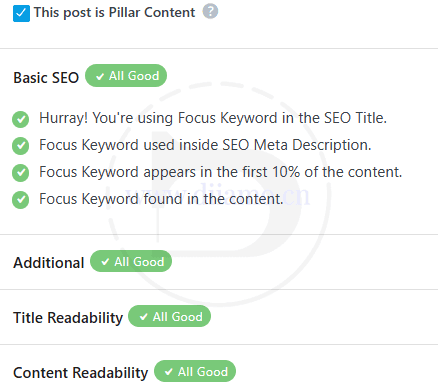
Loco cannot translate the content of the Rank Math dashboard widgets

Seo Control does not display
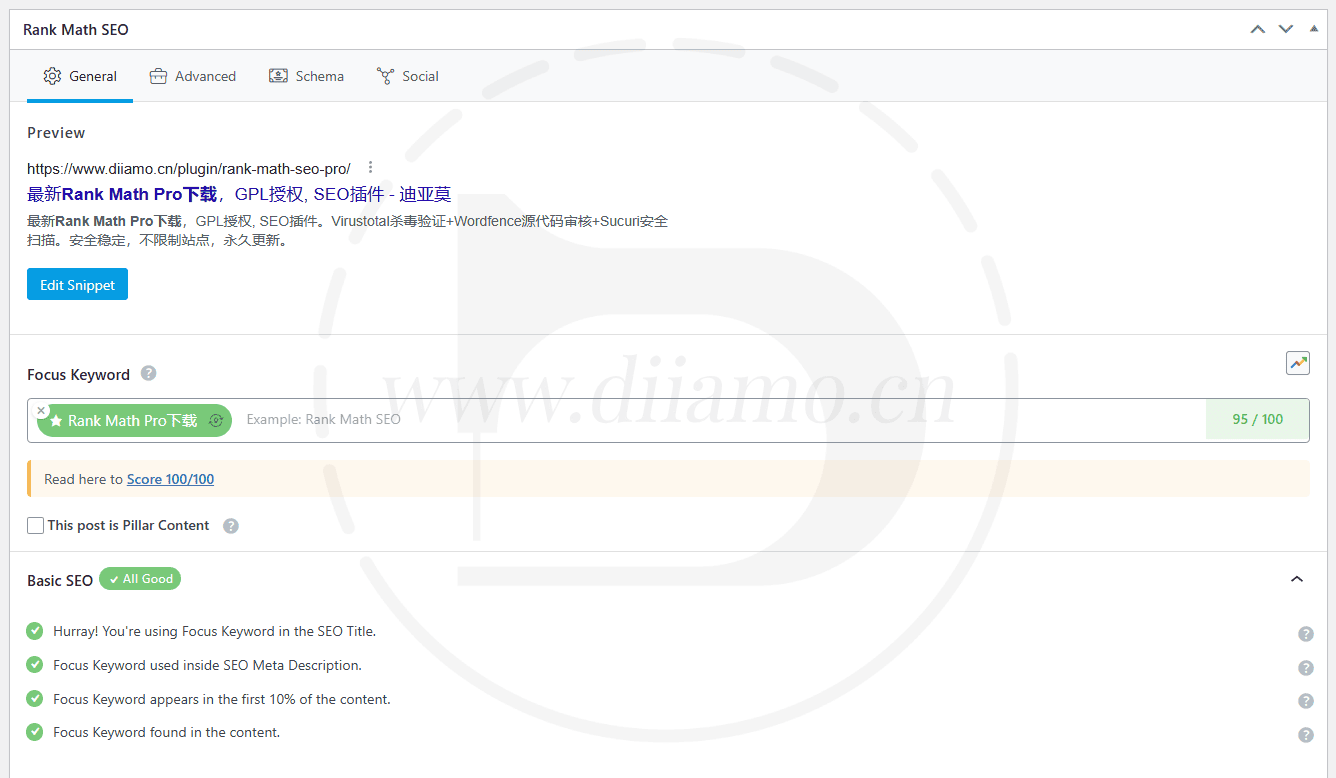
The rating criteria differ for products, articles, and pages
The SEO description includes keywords
URLs containing keywords
Keywords appear in the body/description
Product image alt text contains keywords
Product Schema: Normal
Keyword density should be neither too high nor too low
If your score is 90 or higher, there’s no need to strive for 100.
Product pages do not need to include all rating criteria from the article.The SEO URL has disappeared, and I can't save it even when I enter it.