LatestWP Hide & Security Enhancer PRO DownloadWP Hide plugin can hide the WP logo and modify the WP specific URL prefix, so that visitors and crawlers mistakenly think that the site is not built using WP, in order to enhance security.
You can modify the URL structure of /wp-includes, /wp-admin, /wp-content, /wp-post-comment.php, etc. You can also change the plugin and theme resource URLs.will not (act, happen etc)Affects the SEO, functionality, display, etc. of the new site.
Automatic attack programs are attacking fixed WP URLs, modifying specific URL prefixes can avoid many attacks. At the same time, the plugin comes with features such as disable developer tools, right mouse button, drag and drop images, etc. to protect website resources.
Tips: Older sites must make a backup of the whole site before using this plugin, changing the URL may cause adverse effects, especially for those who love to toss.
Note: This plugin is complicated to use and a human guide service is not available. To use it, please go toOfficial DocumentsIt's easy to understand at first glance.
So did Diarmo.WP Ghost PremiumGPL version of the plugin, more concise, less functionality, can be linked with WordFence plugin, but not good. It is not as powerful and customizable as WP Hide & Security Enhancer PRO.
What is GPL plugin
This plugin is a GPL licensed product and is safe and legal. Click to learn what isGPL AgreementClick to learnWordPress official website about GPL. Simply put using the GPL license plugin/theme source code open source sharing, can be legally free to change, use, distribution.
The company that owns the plugin/theme mentioned in the title of this item is not affiliated with us in any way, and the company has not licensed its products or brands to us. This product is a distribution of the plugin/theme mentioned in the title, created by a third party company/developer and redistributed by us under the terms of the General Public License (GPL).
We use the name of the plugin/theme for the sole purpose of clarifying the plugin/theme on which this GPL item is based, with the aim of helping users to better understand the functionality and possible application scenarios of this product of ours, and in no way intended to impersonate or mislead.
This item is sold following and respecting all terms of the GPL license agreement, ensuring that users understand that they are acquiring a plugin/theme distribution based on an open source license. They are allowed to view, modify and redistribute the software to promote its free use and development.
Verified by Security Antivirus
Directly from foreign formal channels to buy, do not modify the source code. All plug-ins we use to build their own sites, used in a number of sites, safe, stable and reliable.Are you worried that the plugin is not secure? Check this articel:Is WordPress Cracked Plugins/Themes (Green, GPL, Nulled) Safe?.
- ByVirustotal Antivirus Verification;.
- ByWordfenceSource code review and comparison;
- No addition of malicious external links;
- BySucuriSecurity antivirus scan.

Changelog/ Update Method
Generally new version out within 24 hours of this site will be updated, then please visit this page directly to download the new version of the installation package upload updates, the product title will be written on the latest version number. Can only be updated by uploading the installation package, do not mind, if you want to update online can only go to the plug-in website to buy the original version.
Click to view the official update log for this plugin (Changelog), the official update record is generally 1-2 versions behind.
WP Hide & Security Enhancer PRO Download Terms of Purchase
This site plug-ins purchased from foreign sites, Diiamo buy back the price of4.99 USD/pcThe price of the product is lower than the purchase price. Diiamo selling price is lower than the purchase price, and spend a great deal of effort to produce the use of tutorials + provide manual Q&A service, absolutely value for money.
Plug-in for learning and research purposes only, virtual products are reproducible, once sold no refund, please move to the detailsTerms of Service. Please log in before purchasing, and refresh the page after purchase to get permission to download the plug-in.
Installation / Activation Method
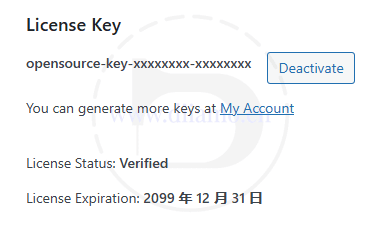
Upload and install the zip installer that you purchased and downloaded here, and enable it directly, it has been activated automatically.
Installation method 1: Upload and install
Find and click on "Plugin">"Install Plugin" in the left menu column of the website backend, click on "Upload Plugin" in the upper left corner, upload and download the zip installation package, click on "Install Now", and then click on it after installation "Enable Plugin" Complete the installation.

Installation method 2.FTP installation
Directly use FTP or enter the panel file management system, upload the purchased. zip compressed file directly to the plugins directory on the website (xxx. com/WP content/plugins), and extract it. Or firstUnzip the .zip archive by extracting the extracted oneFoldersUpload it to the plugins directory of the site.
Note: Pagoda paid version of the anti-tampering, system anti-fixing and other features may automatically delete/block the php file inside, resulting in the plug-in can not be enabled or abnormal function, you need to disable the corresponding protection function first.
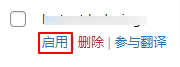
Then go to the left menu column of the website backend, find and click to enter "Plugin">"Installed Plugin", find the plugin in the plugin list, and click "Enable".
WP Hide & Security Enhancer PRO Tutorial
Tip: If you are relocating your site or something like that, first disable the plugin and remove the manually added Nginx rule code. Enable the plugin and add the Nginx rule code after relocation.
There are more than 100 setup items with detailed explanations next to each item and also links to jump to the official detailed instructions. This plugin does not provide manual instructions, please move yourselfOfficial Tutorial, here's how it's probably used.
If there is a red dot in Setup, ignore it. The red dot is because your host can not automatically add the Nginx rules code, you need to manually add, add the code after the setup on the line.
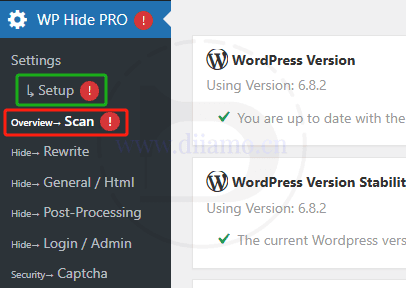
The Scan panel above is a scan of what areas of the site are not up to standard and don't worry about it. These metrics are just suggestions and do not need to be met in their entirety. Follow the tutorial below to set up all the content as needed, and ignore the Scan panel scanning prompts.
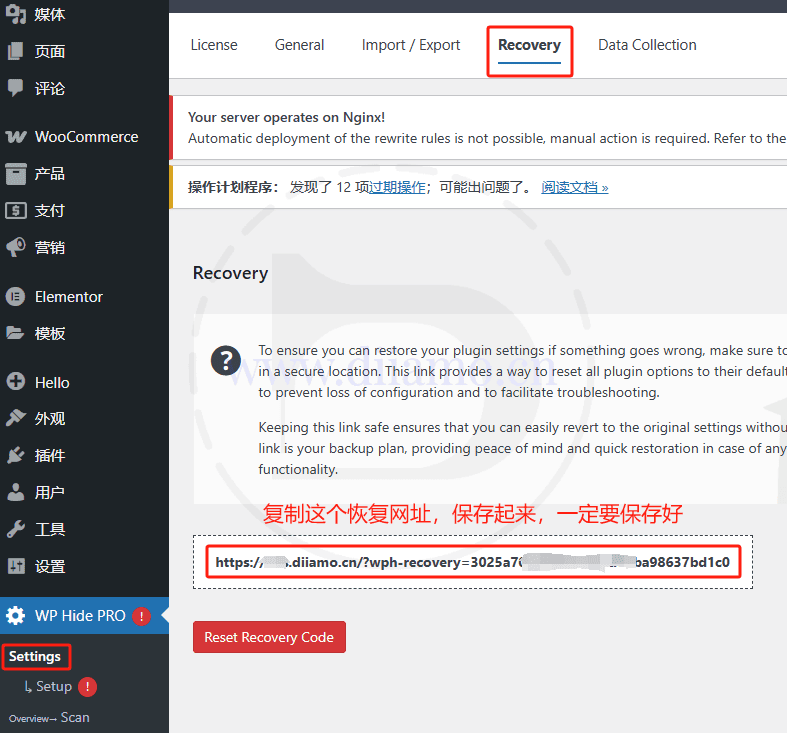
This plugin has a recovery feature, which is a way to reset all the settings of the plugin (restoring the defaults) by visiting a specific recovery URL in your browser to fix the anomalies after the settings.
Before setting up, go to the "Settings" > "Recovery" panel and save the recovery URL in the red box below, make sure to save it!
The red box in the picture below is the content that needs to be set, the others are fine without setting, and some of them can't be used. Note: Not all functions are enabled to have good effect, it is easy to lead to errors, it is best to enable them as needed.
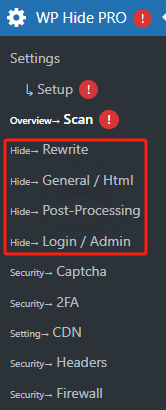
Xiaodi take Hide → Rewrite settings to explain how to set up, other settings the same way. Each setting has a detailed explanation, translate it to understand the meaning. After setting up the top will have a red word prompt, do not care.
Set the right side of the "Read More" button, click will jump to the official website detailed explanation page, but Xiaodi personally found that some pages are lost can not be opened, the official website with the plug-in settings interface is similar to the explanation of the interface.

Just add the code to the site Nginx in the following way after you set it up. Setting up means that you need to enable all the functions on the line, not to let you go to each function to enable, or let you think about each function to enable or not.
If the following picture is shown at the top of the page after setting, it is because the host can not automatically add the rule code to make the settings take effect, and you need to add it manually.

Go to the "Setup" section and copy all the codes from the green section below. Note: The codes in the green section can be scrolled down, scroll to the top and copy all the codes, don't miss them.

Click in the order shown below, go to Pagoda Panel > "Sites" > "URL Settings" > "Profiles", paste the code you copied in the above steps to " # forbidden files or directories" above the line.

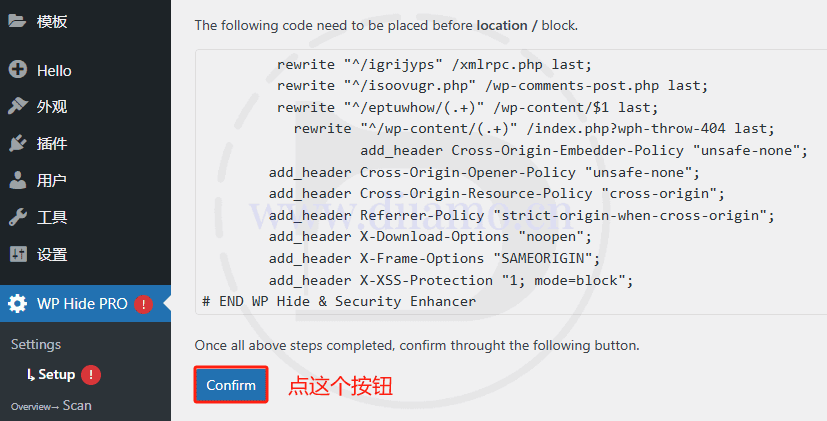
Finally back to the WP website background > "Setup" board, before copying the code location below a "Confirm" button, click on it. In order for the settings to take effect will automatically log out, log back into the background or open the foreground to find that the URL has been modified successfully.
If certain pages won't open, especially the backend pages, it proves that you have some settings wrong somewhere. A browser visit to that recovery URL that you were told to save above will reset the plugin settings and the site will return to normal.
Then follow the tutorial above to set it up again, set it up carefully, don't touch some complicated functions if you don't know how to do them, keep them as default.