LatestWeChat Robot Premium Version DownloadThe purpose of this plugin is to turn the website into a WeChat public number, so you can open the website inside the WeChat public number without being intercepted by WeChat, and you can also share the page/article to others through WeChat, which is very convenient.
This plugin from the previous author can be found in theWordPress Plugin LibraryFree download, then transferred to Planet of Knowledge for download due to complaints about it being taken down (requires annual payment), Diarmo bought a Planet of Knowledge membership, downloaded it and shelved it here as a VIP benefit.
This plugin is VIP-exclusive; only VIP members can download it for free. Non-VIP users cannot purchase or download it! It is a free plugin that requires no activation and is not a cracked version (it is genuine). However, membership is required to download it from the official site, so there's no need to worry about restrictions or security issues.
Note: You must first install and enable the freeWPJAM BasicPlugin (only enabled, no need to set up) as dependent on it, then install the Enable Robot Plugin follow the link below to set it up. You must enable WeChat public number to use this plugin, preferablyservice number, subscription numbers are also available.
Check out the plugin details and how to use it 👉 WeChat Bot Setup and Usage Tutorial, , ,👉 How to link public.
Note: the use of the official tutorials to see how to open the public number of WeChat and so on, please Baidu tutorials, because I have not done for a long time, forget how to operate.
Note: This plugin is a VIP benefit, free to get, not for sale. The plugin is for your own study and research only, please do not spread it to others, please do not use it for illegal purposes.
Diiamo this site's WeChat public number is also the use of WeChat robot plug-in production, you can view the effect, by the way, pay attention to support, WeChat "search a search" inside the search "Diiamo foreign trade station", the following picture is.

The following figure is to open the public number of the interface ↓, the text content and the following menu can be customized, you can link the menu to the website pages, click on the public number can be directly inside the page is very convenient to browse.
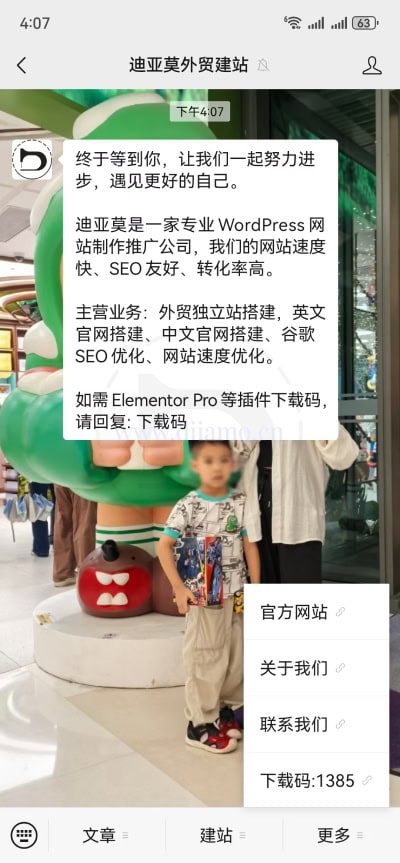
You can also forward the page to your friends or to the WeChat group, which is helpful for marketing.
This plugin comes fromBoiled fish. He made a lot of plug-ins.👉 ViewPlugin ListThe first thing you need to do is to get your hands on some of the most popular plug-ins. Like which plug-in contact WeChat customer service, free to send the installation package to you, VIP are free to get, non-VIP do not disturb.
Tip: boiled fish plug-ins simple and easy to use powerful, but compatibility is not very good, sometimes a little Bug, mind do not use. Boiled fish plug-ins are convenient for him to do their own projects, just incidentally sold. He does not use Woocommerce, Elementor and other plug-ins, so there is no depth of adaptation.
Verified by Security Antivirus
The plugin is paid for by Diiamo from the official purchase, the installation package has not been modified in any way, exactly the same as your own official website to pay for the download of the installation package.
The plugin itself is free to use, you just have to pay to have access to download the installer. So the plugin itself does not need to be activated, it can be installed directly and can be used on countless sites.
WeChat robot advanced version update method/record
The update log is inside Knowledge Planet and cannot be shared. We usually update immediately when there is a new version, because we are using this plugin ourselves. Just pay attention to the title of this plugin, it has the version number written on it.
Download Terms of Use
Plug-ins are for learning and communication research use only, not for sale, only VIP members can download for free.
Installation / Activation Method
Must be installed first to enable the freeWPJAM BasicPlugin (Enable only, no setup required), then install the Enable Robot plugin as dependent on it. To install this plugin justUpload and install the zip installation package purchased and downloaded here, and enable it directly.
Note: You must open the WeChat public number to use this plug-in.Better yet.service numberSubscriptions are fine..
👉 WeChat Robot Advanced Version Setup and Usage Tutorial, , ,👉 How to link public.
Installation package installation method 1: Upload and install
Find and click on "Plugin">"Install Plugin" in the left menu column of the website backend, click on "Upload Plugin" in the upper left corner, upload and download the zip installation package, click on "Install Now", and then click on it after installation "Enable Plugin" Complete the installation.

Installation method 2.FTP installation
Directly use FTP or enter the panel file management system, upload the purchased. zip compressed file directly to the plugins directory on the website (xxx. com/WP content/plugins), and extract it. Or firstUnzip the .zip archive by extracting the extracted oneFoldersUpload it to the plugins directory of the site.
Note: Pagoda paid version of the anti-tampering, system anti-fixing and other features may automatically delete/block the php file inside, resulting in the plug-in can not be enabled or abnormal function, you need to disable the corresponding protection function first.
Then go to the left menu column of the website backend, find and click to enter "Plugin">"Installed Plugin", find the plugin in the plugin list, and click "Enable".
Frequently Asked Questions and Notes
Xiaodi share the experience, welcome to leave a comment!
Error in displaying thumbnails, titles, etc. when sharing a page
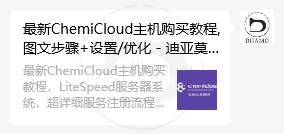
Sometimes on the WeChat sharing website page, the thumbnail and title of the sharing card (below is the sharing card) and the page description are displayed incorrectly, and fall back to the default version (blank or displaying the default logo). Sometimes it can be restored by clearing the cache.
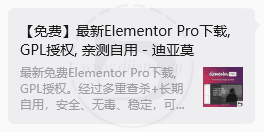
It is recommended to enable the 0pen Graph feature of your website ↓, SEO plugins such as Rank Math include this feature, which helps to display thumbnails, titles, and descriptions correctly on the share card when sharing a page.
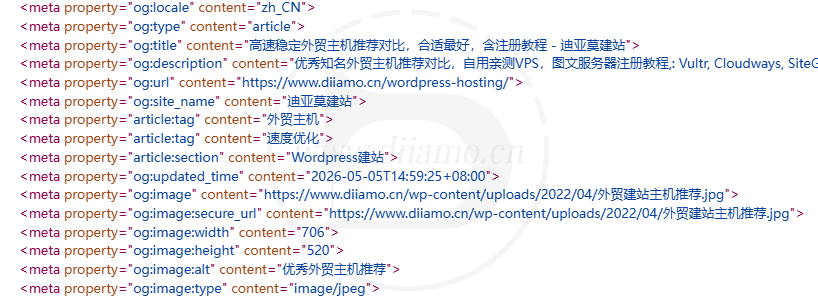
It is also recommended that Rank Math has the following image key turned “off” to help the share card image show up correctly.

Uninstall WeChat Robot Plugin public can also work properly
Xiaodi found that after setting up, and then disable the WeChat robot plug-in, the public number can also open the site normally, and use the site itself to search, login function and so on, but also can use the preset public number menu.
It's just that disabling the plugin prevents you from using additional features provided by the plugin, such as sending keywords to get content, viewing message content in the backend of the website, etc.