LatestSmart Coupons for WooCommerce Download, This is WooCommerce all-in-one smart coupon plugin that provides advanced discount rules, gift cards, buy one get one free offers, store credits, dynamic pricing, bulk coupon codes, URL coupons and more.

WooCommerce Advanced Discount Rules↓
Increase sales by utilizing specialized discount rules based on products and categories, locations, user roles, brands, tiered discounts, and more.
Limited-time steals, cart abandonment emails, new product launches, dynamic pricing, giveaways, subscription signups and Black Friday sales - convert more customers with flexible discount-based smart coupons.
Premium WooCommerce Gift Cards with Scheduling ↓
Create, send or sell gift certificates, store credits, account balances, e-gift cards, gift certificates ...... issues prepaid credits that customers can use multiple times before their balance or expiration date runs out. Points can even be sent instead of refunds to increase customer retention.
The StoreApps Smart Coupons plugin allows to create and sell various types of store credits - fixed denominations, user inputs or product associations.
WooCommerce Buy One Get One Free Coupon/Free Gift Certificate ↓
Set up simple “buy one get one free” or “buy X get Y free” offers based on rules and product quantities. Give away one or more products for free (e.g. as a freebie) or offer a discount.
You can create “Buy 3 Get 1 Free”, “Buy 2 Get 1 Free”, “Buy 2 Get 50% Off”, “Buy 5 Get 1 Free” Buy 2 Get 2 Free“ and more. With smart coupons, you have the flexibility to offer similar discounts such as buy more get more free to boost sales and clear inventory.
Enhance the core WooCommerce coupon functionality by adding a number of advanced rules, restrictions, and options. You can create coupons based on minimum purchase amounts, products, and product categories. Alternatively, you can create coupons based on customer email, address-based geo-location (country/region, state/province, city, zip code), payment method, delivery method, historical order quantity, user role, product attributes, product quantity, and product category (type, visibility, tags, and delivery category).
Combine single, multiple, or all restrictions to create target-specific coupons and avoid abuse.
URL coupons and automatic application of dynamic pricing discounts↓
Quickly create shareable links that automatically apply coupon discounts (and even add items to your cart) when someone clicks on the link. You can share these links with deal sites, affiliate marketing partners, or via email, blog posts, or social media. Users can now quickly and easily redeem these coupons, resulting in more sales for the store.
Create coupons and promotions that are automatically applied when customers add items to their cart - no need to remember or search for coupon codes.
Feature-rich plugin offering premium discounts and coupons ↓
In addition to all the features listed earlier, this smart coupon plugin can do much more.
Setting up subscription/recurring coupon discounts
Free shipping and duty free through store credit coupons
Show available coupons on the cart/checkout page - and apply them with one click!
Set up a “free shipping for a year” program similar to Amazon Prime
Automatically generate and issue coupons/credits for product purchases
Immediate release of “cashback” points for future use.
Display a customized message when the coupon is applied to the cart/checkout page or sent via email.
Email coupons or store credit
Create time-limited, auto-expiring coupon discounts
Support for multi-currency plugins like Aelia
Bypassing “personal use” restrictions for loyal customers
Click on the coupon to jump to any page
Import and Export Coupons
Print coupons and gift certificates
Upload a customized image as a gift card/gift certificate.
Allows customers to select a gift from a preset list.
Coupon Stacking - allows customers to use multiple coupons. For example, new customers get 10% off and another 10% off over $200.
Reminder emails for unused coupons and expiring coupons
When the shopping cart amount reaches a certain threshold, a promotional message is displayed - “Spend $5 more to get 50% off!”
Coupons are automatically generated based on order totals and are issued in the form of cash back or rewards.
Embed/display coupons anywhere - even on blog pages.
Resend the coupon
Show/hide the “Available Coupons” section on the cart/checkout page, or hide it if there are no coupons.
REST API with extensive interfaces and custom documentation
What is GPL plugin
This plugin is a GPL licensed product and is safe and legal. Click to learn what isGPL AgreementClick to learnWordPress official website about GPL. Simply put using the GPL license plugin/theme source code open source sharing, can be legally free to change, use, distribution.
The company that owns the plugin/theme mentioned in the title of this item is not affiliated with us in any way, and the company has not licensed its products or brands to us. This product is a distribution of the plugin/theme mentioned in the title, created by a third party company/developer and redistributed by us under the terms of the General Public License (GPL).
We use the name of the plugin/theme for the sole purpose of clarifying the plugin/theme on which this GPL item is based, with the aim of helping users to better understand the functionality and possible application scenarios of this product of ours, and in no way intended to impersonate or mislead.
This item is sold following and respecting all terms of the GPL license agreement, ensuring that users understand that they are acquiring a plugin/theme distribution based on an open source license. They are allowed to view, modify and redistribute the software to promote its free use and development.
Verified by Security Antivirus
Directly from foreign formal channels to buy, do not modify the source code. All plug-ins we use to build their own sites, used in a number of sites, safe, stable and reliable.Are you worried that the plugin is not secure? Check this articel:Is WordPress Cracked Plugins/Themes (Green, GPL, Nulled) Safe?.
- ByVirustotal Antivirus Verification;.
- ByWordfenceSource code review and comparison;
- No addition of malicious external links;
- BySucuriSecurity antivirus scan.

Changelog/ Update Method
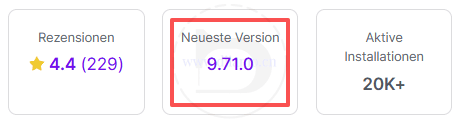
Generally new version out within 24 hours of this site will be updated, then please visit this page directly to download the new version of the installation package upload updates, the product title will be written on the latest version number. Can only be updated by uploading the installation package, do not mind, if you want to update online can only go to the plug-in website to buy the original version.
Click to view the official update log for this plugin (Changelog)The latest version number is displayed on the right side of the page (in the panel below), and clicking on the panel number will bring up the update log.
Smart Coupons for WooCommerce Download Terms of Purchase
This site plug-ins purchased from foreign sites, Diiamo buy back the price of4.99 USD/pcThe price of the product is lower than the purchase price. Diiamo selling price is lower than the purchase price, and spend a great deal of effort to produce the use of tutorials + provide manual Q&A service, absolutely value for money.
Plug-in for learning and research purposes only, virtual products are reproducible, once sold no refund, please move to the detailsTerms of Service. Please log in before purchasing, and refresh the page after purchase to get permission to download the plug-in.
Installation / Activation Method
Directly upload and install the zip installer that was purchased and downloaded here, enable it and it has been activated automatically.
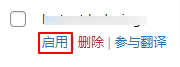
If prompted by the image below, click on the blue “Enable” link.

Just click to enable the feature below and save the changes.

If you still can't use the coupon function after enabling it or if the function is abnormal, please check whether there is any other plugin on your website that disables the coupon function.
Installation method 1: Upload and install
Find and click on "Plugin">"Install Plugin" in the left menu column of the website backend, click on "Upload Plugin" in the upper left corner, upload and download the zip installation package, click on "Install Now", and then click on it after installation "Enable Plugin" Complete the installation.

Installation method 2.FTP installation
Note: Pagoda paid version of the anti-tampering, system hardening and other features may automatically delete/block the php file inside, resulting in the plug-in can not be enabled or abnormal function, if abnormalities occur, please disable the corresponding function before uploading the plug-in.
Directly use FTP or enter the panel file management system, upload the purchased. zip compressed file directly to the plugins directory on the website (xxx. com/WP content/plugins), and extract it. Or firstUnzip the .zip archive by extracting the extracted oneFoldersUpload it to the plugins directory of the site.
Then go to the left menu column of the website backend, find and click to enter "Plugin">"Installed Plugin", find the plugin in the plugin list, and click "Enable".
Smart Coupons for WooCommerce Tutorials
For more information, please go toOfficial Documents.
We sell plug-ins do not make money, just to help others + hobby, the use of the method does not belong to the scope of the after-sales, please check the official documents yourself. If the plug-in function can not be used or there are bugs and so on and then contact WeChat customer service, thank you for your understanding.